My Telenor Quiz Today, 30 september 2026 – Verified My Telenor Answers & Free MB Guide
––––––––––––––––––––––––––––––––––––––––––––––––––––––––––––––––––––––––––––
One wrong tap and your Telenor quiz today attempt is gone until midnight that’s the whole catch with “Test Your Skills.” Five questions, one shot, no retries. Every day, lakhs of Telenor Pakistan users open the My Telenor app chasing the same free 150MB, and every day some of them lose their only attempt guessing on a question they could’ve gotten right with a 10-second check.
That’s what this page fixes. Below you’ll find today’s verified My Telenor quiz answers , updated fresh after every midnight reset, along with a full play guide, reward breakdown, and fixes for the problems that trip people up most mismatched questions, rewards that don’t show up, and app crashes mid-submission.
My Telenor Answers Today (30 september 2026)
Question 1: In Turkish, what does “Merhaba” mean?
thankyou
sorry
goodbye
hello
Answer is option hello
Question 2: Which languages is commonly associated with the phrase “Hola”?
english
french
spanish
thai
Answer is option spanish
Question 3: “Shukran” means “Thankyou” in which language?
Turksih
arabic
persian
urdu
Answer is option arabic
Question 4: Which language is commonly used in K-pop songs?
japanese
thai
korean
chinese
Answer is option korean
Question 5: Which language is spoken in both Spain and Mexico?
french
spanish
italian
german
Answer is option spanish
Video Guide to Today’s 5 Telenor Quiz Answers
Reading five questions is one thing watching someone actually tap through the app in under two minutes is another, especially if you’ve never opened Test Your Skills before. The video above walks through today’s questions and where to find them, so you’re not hunting through menus while your attempt is sitting there waiting.
What Is the Telenor Quiz Today (Test Your Skills)?
New to this? Here’s the short version before we get into the how-to: it’s a free daily trivia game buried inside your Telenor app, and getting it right takes less time than reading this sentence twice.
Officially called Test Your Skills, it’s a five-question challenge that resets every 24 hours at midnight Pakistan Standard Time. The questions themselves aren’t random they’re pulled from a rotating pool covering general knowledge, Pakistan Studies, current affairs, Islamic knowledge, science, and sports, so the same broad topics tend to resurface week to week even as the exact wording changes.
Get all five right, and Telenor credits free MBs straight to your account no balance deduction, no hidden second step. It works whether Telenor is your main SIM or a secondary one in a dual-SIM phone, and on both prepaid and postpaid connections.
How to Download & Log In to the My Telenor App
Already have the app installed and logged in? Skip straight to the play guide below. If not, here’s the fastest path from a blank home screen to your first quiz attempt it takes about two minutes, most of which is just waiting for the OTP.
Steps to Download My Telenor App on Android
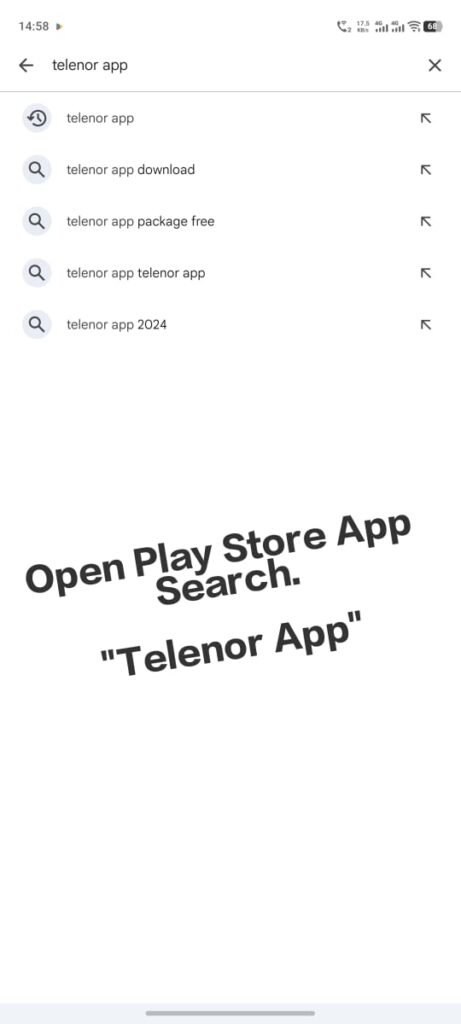
Open Google Play Store
Open the Google Play Store on your phone.
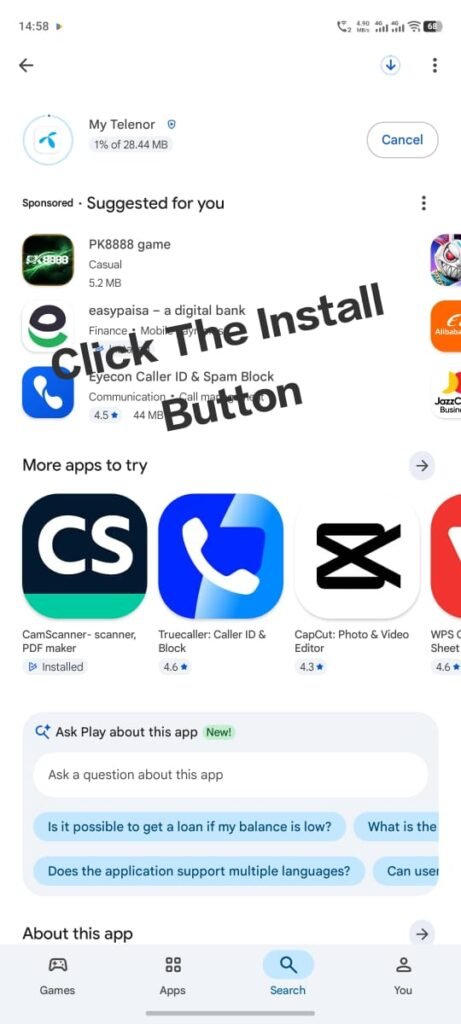
Search and Install
Search for “My Telenor” and select the official app (published by Telenor Pakistan), then tap Install and wait for the download to finish.
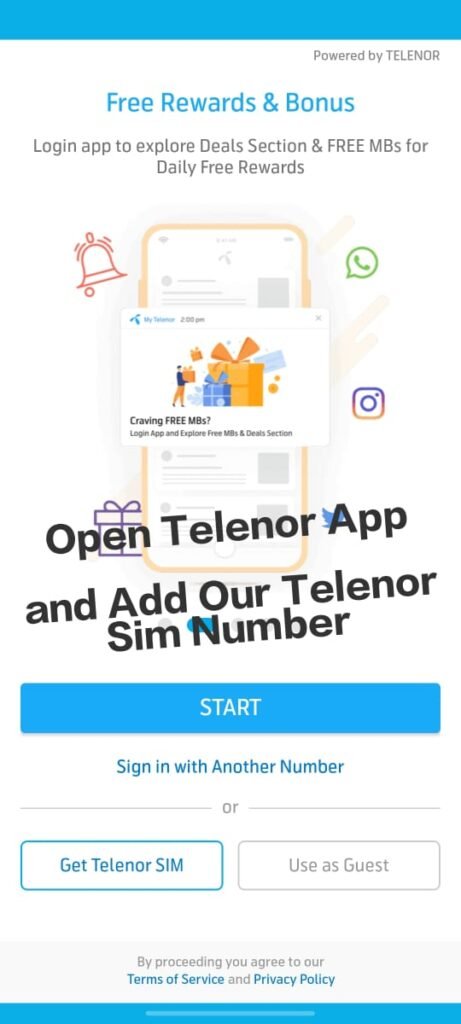
Allow Permissions and Enter Number
Open the app, allow the requested permissions (SMS, for auto OTP detection), and enter your Telenor number.
Verify with OTP
Enter the OTP sent to your number via SMS to complete login.
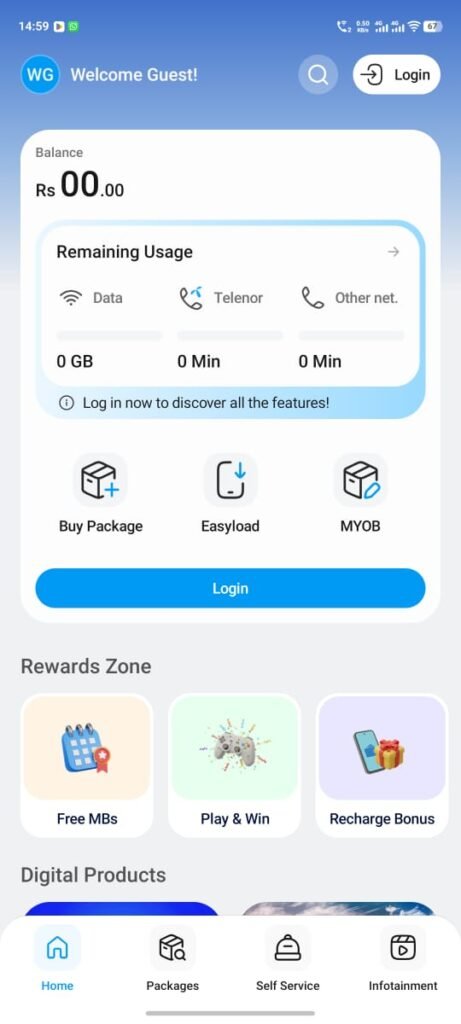
Open Test Your Skills
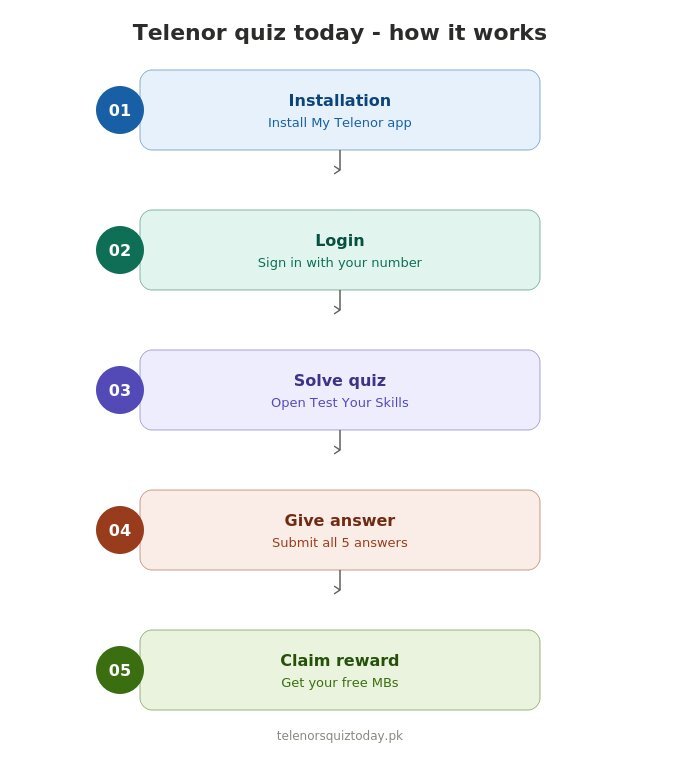
Go to Play & Win → Test Your Skills, and answer today’s 5 quiz questions.
Get Your Reward
Submit your answers ,if all 5 are correct, your reward is credited automatically within a few minutes.
Step-by-Step: How to Play Telenor Quiz Today
This is the part that actually costs people the reward if they rush it. Three steps, and step two is where most people slip read through once before you open the app.
Step 1 : Find the quiz
From the home screen, scroll to Play & Win, or tap the sticky “Play & Win” button that stays visible while you scroll. Select Test Your Skills.
–
Step 2 : Answer carefully
You’ll see five multiple-choice questions, one at a time. Read each one fully before selecting there’s no going back once you move to the next question.
Step 3 : Submit and check your reward
After the fifth question, tap Submit. If all answers are correct, your reward appears on screen immediately and MBs land in your account shortly after.
 Telenor Quiz Today 1
- Telenor Quiz Today 2
- Telenor Quiz Today 3
- Telenor Quiz Today 4
Telenor Quiz Rewards, What You Can Win?
The reward isn’t always the same amount, and that catches people off guard when they’ve seen a friend win more than they did on the same day.
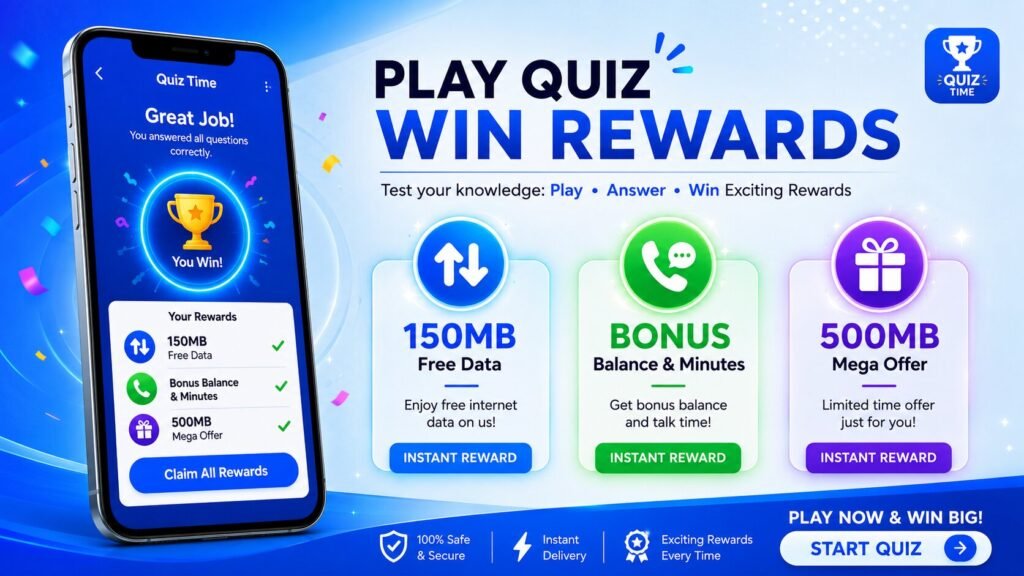
- 150MB free internet the standard reward for a perfect score
- Occasionally bonus balance or call/SMS minutes, depending on ongoing promotions
- On select days, Telenor has offered up to 500MB as part of a limited campaign
Rewards can vary slightly by region, SIM type, or account history always trust what the app shows you on the results screen over any third-party estimate.
How to Check Your Free MBs After Winning?
Want to confirm your reward actually landed? Dial *999# from your Telenor SIM. A pop-up will show your remaining data balance, including any quiz reward MBs, within a few seconds. If nothing shows up after 15 minutes, restart your phone and check again before contacting support.
When Does Telenor Update Quiz Questions?
Telenor resets the Test Your Skills section every night at 12:00 AM PKT. If you check right around midnight and still see yesterday’s questions, wait 2–3 minutes and refresh the new set usually goes live shortly after the reset window opens, and that’s also when this page gets updated with the verified answers.
Telenor Quiz Categories & Topics
Questions rotate across a consistent set of themes, so you’ll rarely see anything outside these areas:
General Knowledge
everyday facts, famous inventions, common terms, and “did you know” style trivia that don’t require specialized study.
Pakistan Studies & Current Affairs
questions about Pakistan’s history, national days, government structure, and recent news events happening in the country.
Islamic Knowledge
basic questions on Islamic history, the five pillars, major events, and well-known figures from Islamic teachings.
Science & Technology
simple science facts, how common technology works, and questions about recent tech developments or gadgets.
Geography
questions about countries, capitals, rivers, mountains, and both Pakistani and world geography.
Sports
cricket (especially Pakistan cricket), football, Olympics, and major sporting records or tournaments.
World History & Famous Personalities
questions about historical events, world leaders, scientists, and other well-known figures across different eras.
Most days you’ll see a mix of two or three of these categories rather than all seven, so don’t expect every quiz to touch on every topic above.
Telenor Quiz Rules & Eligibility
- Open to all active Telenor Pakistan prepaid and postpaid users
- One attempt per user, per day
- All five answers must be correct no partial reward
- Works on any smartphone with the My Telenor app installed and a stable internet connection (2G minimum, 3G/4G recommended)
- No extra charges or hidden conditions to participate
Why Your Quiz Questions Might Differ From Others ?
Not everyone sees the exact same five questions on the same day. Telenor occasionally rotates slightly different question sets by account, region, or campaign batch. If your questions don’t match what’s listed above, don’t assume the answers here are wrong it usually just means you’re in a different rotation. In that case, the AI method below is the fastest workaround.
Using AI Tools to Solve Mismatched Questions
If your quiz questions genuinely don’t match what’s published here, you don’t have to guess:
- Take a screenshot or copy the exact question text.
- Paste it into an AI tool like ChatGPT or Gemini.
- Read the response, then select the matching option in the app.
This takes a few extra seconds but keeps your one daily attempt from going to waste on a guess.
Common Telenor Quiz Problems & Fixes
Most of these fix themselves in under a minute once you know which of the usual suspects is actually causing it.
Quiz won’t load or keeps freezing
- Check your internet connection is stable
- Clear the My Telenor app’s cache
- Update to the latest app version from the store
App crashes when submitting answers
- Restart your phone
- Uninstall and reinstall the app
- Confirm your device runs Android 7+ or iOS 12+
Reward not showing after a correct submission
- Wait 5–15 minutes crediting isn’t always instant
- Dial *999# to check your data balance directly
- If still missing after 30 minutes, contact Telenor support at 345
Telenor Quiz Rewards, What You Can Win?
- Check this page right after the 12:00 AM PKT reset for the freshest verified answers
- Read every question fully some options are worded to look similar on purpose
- Use Wi-Fi or stable mobile data to avoid a dropped submission mid-quiz
- Bookmark this page so you’re not searching from scratch tomorrow
The Future of Telenor Quiz Today
The Telenor quiz today started as a simple engagement feature, but it’s steadily grown into one of the most searched daily rewards in Pakistan’s telecom space and a few trends suggest where it’s headed next.
- Bigger, more varied rewards. Telenor has already tested pushing rewards beyond the standard 150MB to 500MB on select promotional days. As competition with Jazz, Zong, and Ufone’s own reward apps grows, expect these bonus-reward days to become more frequent rather than rarer.
- Smarter, less guessable questions. Because answer sites like this one publish verified questions daily, Telenor has slowly introduced more account-specific and rotating question sets to keep the quiz feeling fresh rather than fully predictable.
- Tighter integration with the Play & Win ecosystem. Test Your Skills increasingly sits alongside other Play & Win features (spin wheels, streak bonuses) rather than as a standalone quiz, which suggests Telenor is building toward a broader daily-engagement rewards hub inside the app.
- AI-assisted play is becoming the norm. As more users lean on AI tools to double-check answers when questions don’t match published lists, it’s likely Telenor will keep varying question sets to preserve the “test your knowledge” spirit of the feature rather than let it become fully automatable.
None of this changes how you play today but it’s worth knowing the quiz is evolving, so don’t be surprised if the reward amount, question style, or app layout shifts slightly in the months ahead.
Final Thoughts
The Telenor quiz today is one of the easiest ways to grab free MBs without touching your balance but only if you get all five answers right on your one daily try. Check this page after the midnight reset, follow the step-by-step guide above, and use the *999# check to confirm your reward landed. Bookmark it and come back tomorrow for the next set of verified answers.
FAQs
Are the Telenor quiz answers on this page 100% accurate?
Yes, they’re verified daily by testing the app directly after the midnight reset. In rare cases, Telenor rotates a different question set for some accounts see the “why your questions might differ” section above if that happens to you.
What’s the reward for completing the Telenor quiz today?
Most days it’s 150MB of free internet, credited automatically. Occasionally Telenor runs promotions offering higher rewards like 500MB or bonus balance.
Can I play the Telenor quiz on Wi-Fi?
Yes. As long as you’re logged into the My Telenor app with your verified Telenor number, Wi-Fi works the same as mobile data.
Is the Telenor quiz available to all users?
Yes ,Any active Telenor prepaid or postpaid customer can play, including those using Telenor as a secondary SIM in a dual-SIM phone.
Does the reward expire if I don’t check it right away?
No, once the MBs are credited to your account they follow your normal data validity they don’t disappear for not checking immediately, though it’s still good practice to confirm via *999#.

Author Azan Tayyab
I’m Azan Tayyab, the creator of TelenorsQuizToday.com. I started this website to make daily Telenor Quiz answers and useful information easier to find. My goal is to provide simple, helpful, and regularly updated content for visitors.
Telenor SIM Lagao Offer: Code, Eligibility & Rewards (2026)
The Telenor SIM Lagao Offer is a free reactivation bundle for…
Telenor Helpline: Every Number & Contact Method (2026)
The Telenor helpline number is 345, dialed free from any Telenor…
Telenor Loan Code 2026: How to Get Emergency Balance
The Telenor loan code is *0#. Dial it from your prepaid…