How to Check Telenor Balance: Code, App & More (2026)
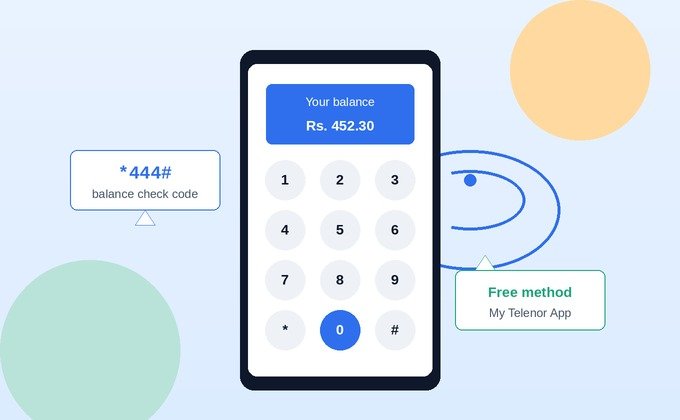
To check your Telenor balance, dial *444# from your phone and wait a few seconds for your remaining balance to appear on screen. This works on all Telenor prepaid SIMs, including Talkshawk and Djuice, and costs a small fee (roughly Rs. 0.20 plus tax) per check. You can also check for free using the My Telenor App.
If you’ve ever been mid-call or mid-scroll and suddenly wondered how much credit you have left, you’re not alone this is one of the most-searched Telenor queries in Pakistan. Below is a complete, verified reference: the main code, alternate methods, what to do if it doesn’t work, and a safety note most guides skip entirely.
Quick Reference: All Telenor Check Codes in One Table
Instead of hunting across multiple pages, here’s every relevant code in one place:
| What You Want to Check | Code / Method | Notes |
|---|---|---|
| Main Balance | *444# | Small fee applies (~Rs. 0.20 + tax) |
| Internet / MB Balance | *999# | Shows remaining data and validity |
| Minutes Balance | *222# | Shows remaining call minutes |
| SMS Balance | *111# | Shows remaining SMS bundle |
| Active Packages | *123# | Lists all currently active bundles |
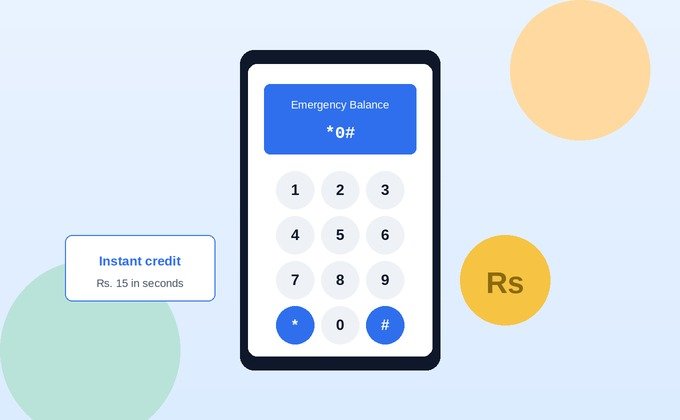
| Advance Balance / Loan | *0# | Emergency credit when balance is low |
| Number Check | *222*4# | Displays your own Telenor number |
| Balance Save Service | *7799# | Stops accidental data-triggered deductions |
A quick note on accuracy: if you’ve seen other codes floating around online (like *121#), be cautious that code is used by Telenor in other countries (such as Sweden), not Pakistan. Codes can also be updated by Telenor without notice, so if something in this table stops working, check the “What to Do If It’s Not Working” section below before assuming the code itself is wrong.
How to Check Telenor Prepaid Balance (USSD Code)
This is the fastest method and works on any phone smartphone or basic feature phone with an active Telenor SIM and network signal.
Step-by-Step: Dial *444#
- Open your phone’s dial pad.
- Type
*444#exactly as shown. - Press the call/dial button.
- Wait a few seconds your remaining balance will appear directly on screen as a pop-up message.
This method works across all Telenor prepaid packages, including Talkshawk and Djuice sub-brands, and doesn’t require mobile data or Wi-Fi it works over the standard cellular network.
Charges for Balance Check
Dialing *444# typically costs around Rs. 0.20 plus applicable tax per check. It’s a minor charge, but if you’re checking multiple times a day, it can add up the My Telenor App method below is free and avoids this entirely.
How to Check Telenor Postpaid Balance / Bill
Postpaid users don’t use a “balance” in the prepaid sense instead, you’re checking your current usage and bill amount against your monthly plan.
Via My Telenor App
The app is the most reliable method for postpaid customers. It shows your current bill cycle usage, due date, and any outstanding balance, all updated in real time without any per-check fee.
Via Self-Care Portal
Telenor also offers an online self-care portal where postpaid customers can log in with their registered number to view detailed billing history, current usage, and past invoices useful if you want a full statement rather than just a quick balance snapshot.
Other Ways to Check Your Telenor Balance
My Telenor App Method
- Open the My Telenor App and log in with your registered number.
- Your current balance (or postpaid usage) displays directly on the home dashboard.
- No USSD charges apply checking through the app is free as long as you have an internet connection (even a small amount of Wi-Fi or leftover data works).
This is also the same app used for Telenor’s daily rewards quiz and other self-service features, so it’s worth keeping installed regardless of which method you prefer day to day.
Telenor Website / Self-Care Login
If you’d rather not use the app, Telenor’s official self-care web portal offers the same balance and usage information through a browser login useful on a shared or work computer.
Dialing Helpline (345)
For account issues beyond a simple balance check like a code that won’t respond at all, or a suspected billing discrepancy you can call Telenor’s helpline at 345 directly from your Telenor number.
Check MBs, Minutes & SMS Balance
Your main balance is just one part of the picture. If you’re on an active bundle, these separate codes tell you what’s left:
- Internet/MB balance: dial
*999# - Minutes balance: dial
*222# - SMS balance: dial
*111# - All active packages at once: dial
*123#
Checking *123# is often the most useful single code if you’re not sure which bundles are currently active, since it lists everything data, call, and SMS packages along with expiry dates in one response.
What to Do If the Balance Check Code Isn’t Working
If *444# (or any other code above) doesn’t respond, it’s rarely a sign that the code itself is broken. Work through these in order:
Dual-SIM Conflicts
If you’re using a dual-SIM phone, your device may be routing the request through your other SIM instead of your Telenor line. Confirm you’re dialing from the correct SIM slot, or temporarily disable the second SIM before trying again this is one of the most common and most overlooked causes of a “non-working” code.
Weak Signal / Network Issues
USSD codes require a stable cellular signal to process. If you’re in a low-coverage area or experiencing temporary network congestion, the request can silently fail. Move to an area with better signal, or wait a few minutes and retry.
Code Changed or Discontinued
Telenor occasionally updates USSD codes as part of system changes. If a code consistently fails after ruling out the above, switch to the My Telenor App it pulls live account data directly and isn’t affected by USSD-side changes.
General fix checklist:
- Restart your phone.
- Confirm you’re dialing from the Telenor SIM (not a second SIM).
- Move to an area with stronger signal.
- Try the My Telenor App as a backup.
- If nothing works, call the helpline at 345.
Is It Safe to Check Your Balance This Way?
This is a question worth asking, and one most guides skip entirely.
The USSD codes listed here (*444#, *999#, etc.) are official Telenor Pakistan codes, and dialing them connects directly to Telenor’s own network systems not a third party. The My Telenor App is likewise Telenor’s official application, available only through the Google Play Store and Apple App Store.
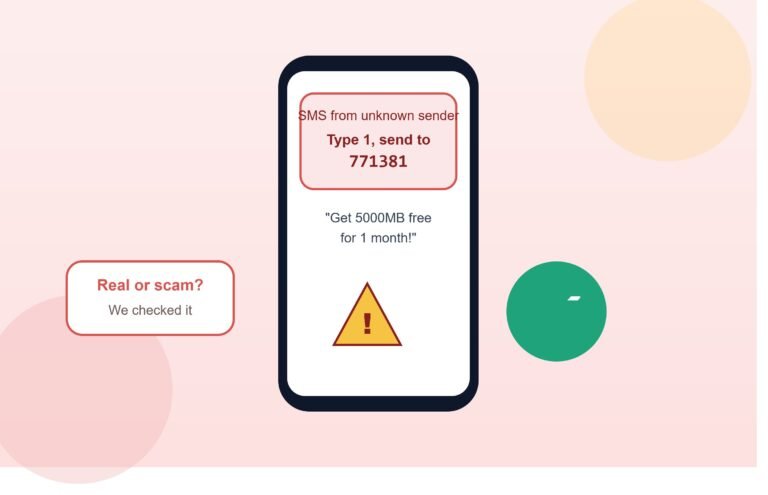
Where the risk actually comes from is not these official codes, but third-party websites and apps that claim to “check your balance online” by asking you to enter your Telenor number, CNIC, or account password into an external form. Telenor’s real balance-check methods never require this you dial a code from your own phone, or log into Telenor’s own app or portal directly. If a website asks for personal or account details just to “look up” your balance for you, treat that as a red flag and close it.
Telenor Advance Balance / Loan Code
If you’re out of credit entirely, Telenor’s advance balance service lets you borrow a small amount to make an urgent call or send a message. Dial *0# to check eligibility and activate an advance loan the borrowed amount plus a small service fee is deducted automatically from your next recharge. This is a separate service from balance checking, but it’s the natural next step if your check comes back at zero.
Frequently Asked Questions
What is the Telenor balance check code?
Dial *444# from your Telenor SIM to see your remaining balance on screen within a few seconds.
Does checking my balance cost anything?
Yes, dialing *444# typically costs around Rs. 0.20 plus tax. Checking via the My Telenor App is free.
Does the balance check code work without mobile data?
Yes. USSD codes like *444# work over the standard cellular network and don’t require mobile data or Wi-Fi.
Can postpaid users use the same code? Postpaid customers generally check usage and bill details through the My Telenor App or self-care portal rather than a prepaid-style balance code.
Why is 444# not working on my phone?
The most common causes are dual-SIM routing conflicts, weak network signal, or a temporary system issue restart your phone and confirm you’re dialing from the correct SIM first.
Is there a way to check my balance for free?
Yes, the My Telenor App shows your balance at no cost, unlike the USSD code, which carries a small per-check fee.
How do I check my remaining internet MBs?
Dial *999# to see your remaining data balance and validity period.
Is it safe to check my balance through third-party websites?
No, only use the official *444# code, the My Telenor App, or Telenor’s own self-care portal. Never enter your number, CNIC, or password on a third-party site claiming to check your balance for you.
Final Thoughts
Checking your Telenor balance takes under ten seconds once you know the right code *444# for prepaid, or the My Telenor App for a free, real-time view whether you’re prepaid or postpaid. Keep the code table above bookmarked, and if a code ever stops responding, work through the SIM-slot and signal checks before assuming something’s actually broken. And when in doubt about a website asking for your account details, default to Telenor’s own app or official code every time.